Train your way. No limits, no price.

Make as many exercises, routines and programs as you want. It's free, and it speaks English and Bulgarian.

Open the app

I built this for my own training. It runs in your browser, no store.
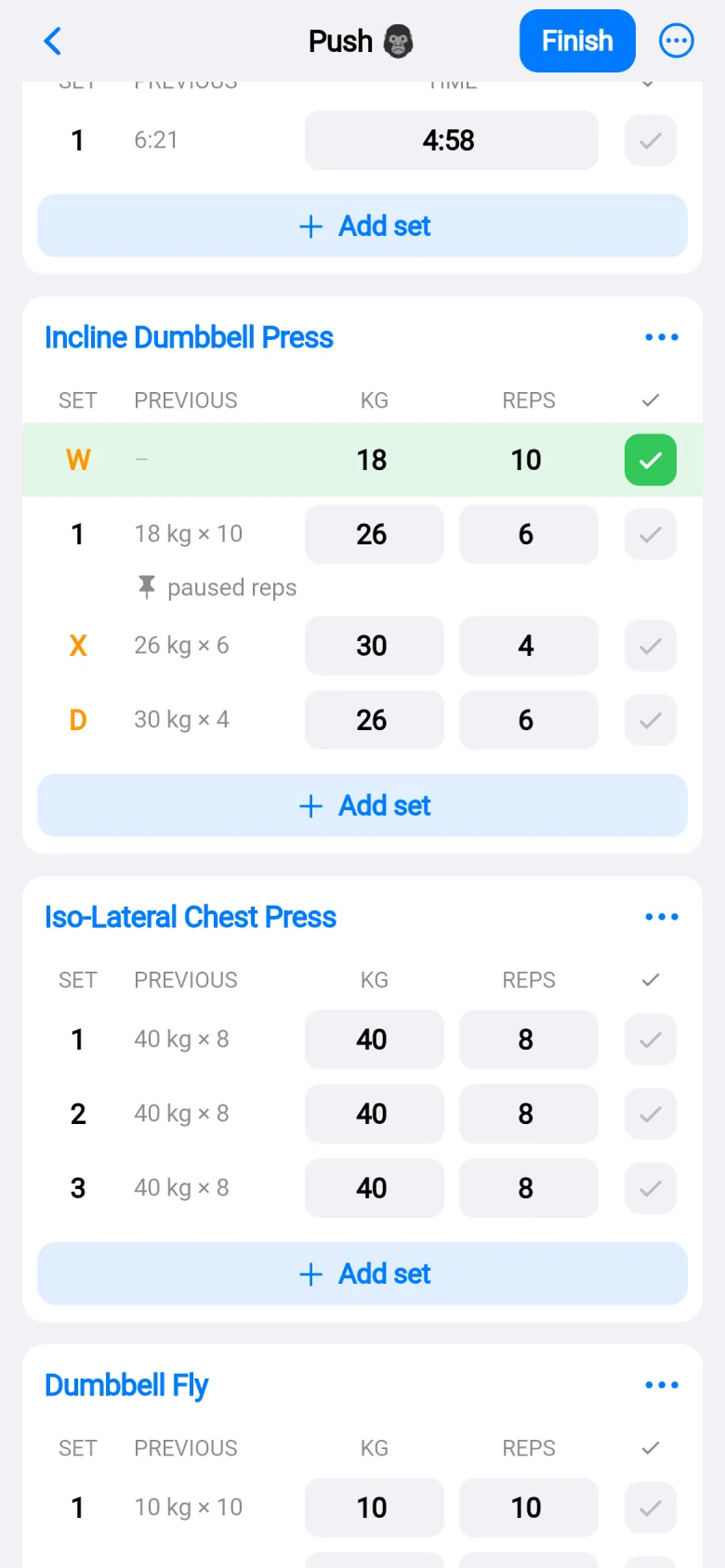
The set table in a workout: each row shows what I did last time, then the weight and reps for today. A short silent clip starts a routine and logs sets.

Make as many as you want.

Exercises, routines, folders, programs. There is no cap on any of them, and no paid tier to unlock more. Start empty, from a routine, or from a program day.
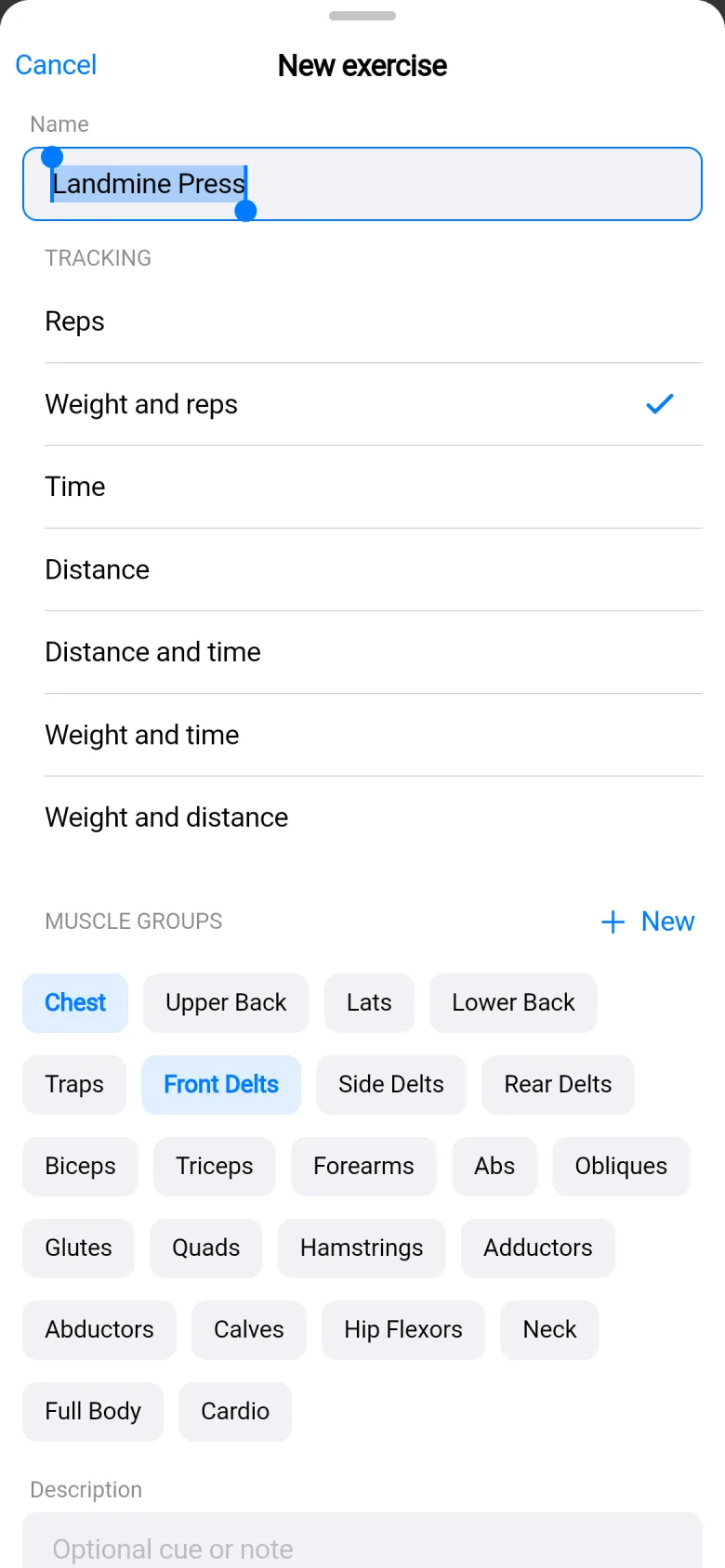
The new exercise form: the name Landmine Press typed in, and a list of ways to track it: reps, weight and reps, time, distance and more.

Name it. Choose how it tracks.Reps, weight, time, distance, or a mix.
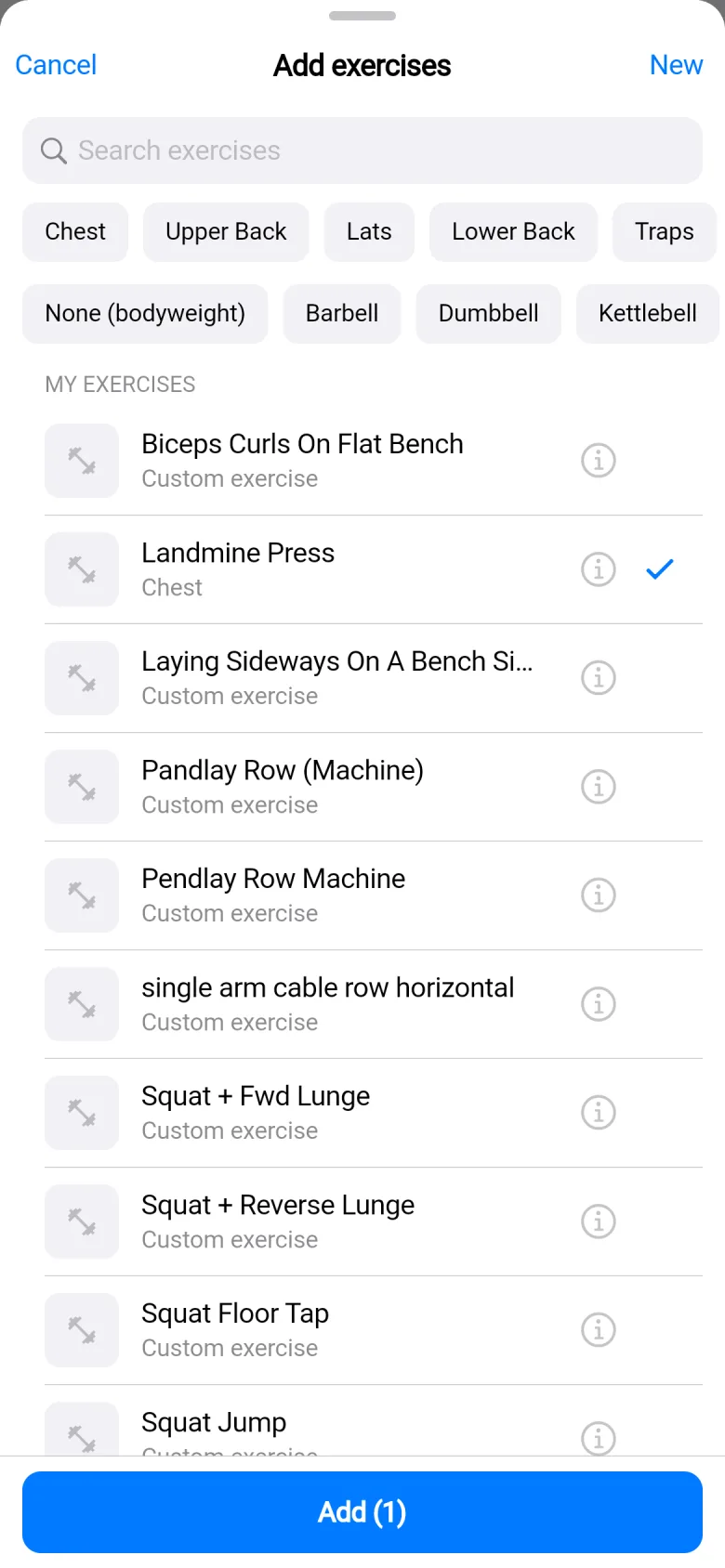
The exercise picker with muscle and equipment filter chips on top, and my custom exercise Landmine Press ticked in the list.

It sits next to 696 library exercises.Filter by muscle or equipment.
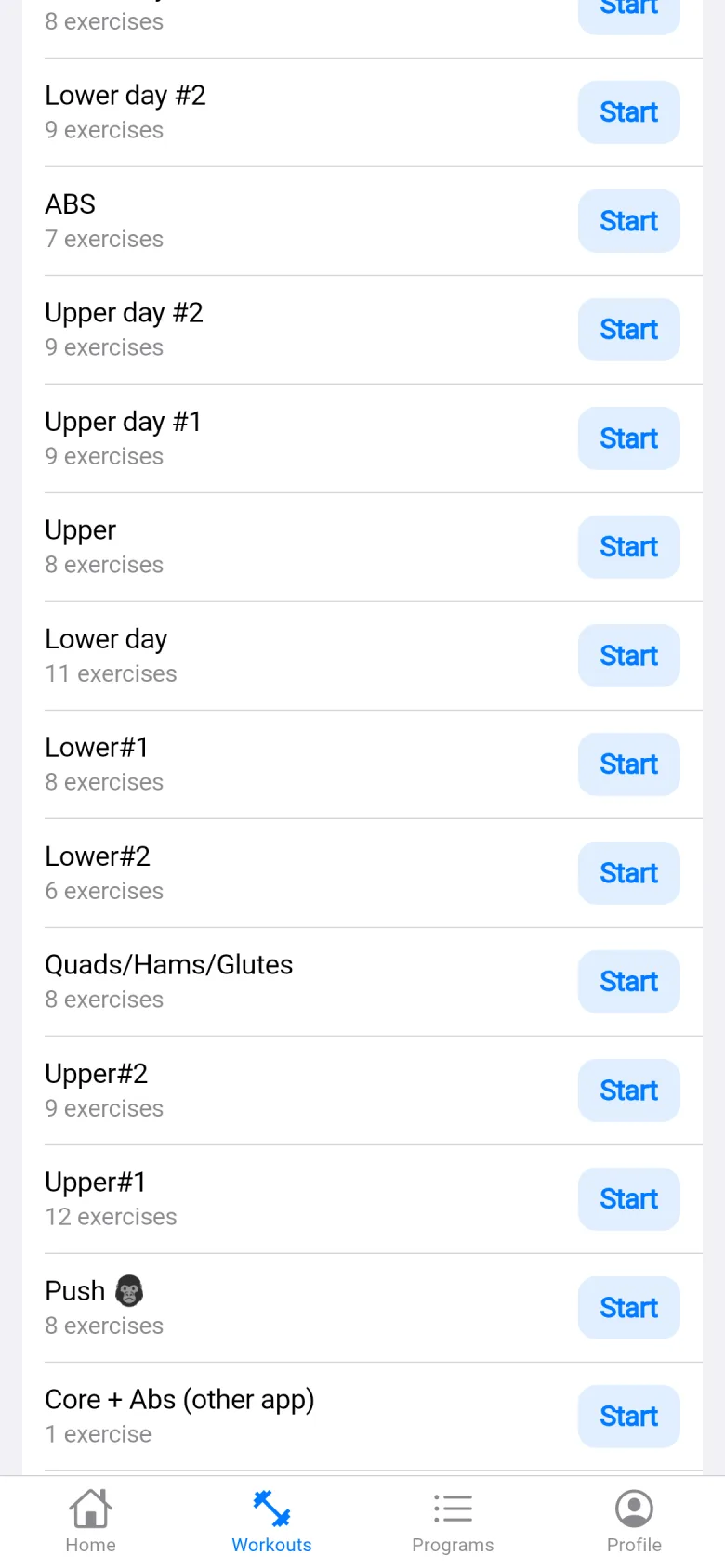
The Workouts tab: a long list of my routines, each with a Start button.

Routines live in folders. Keep as many as you like.
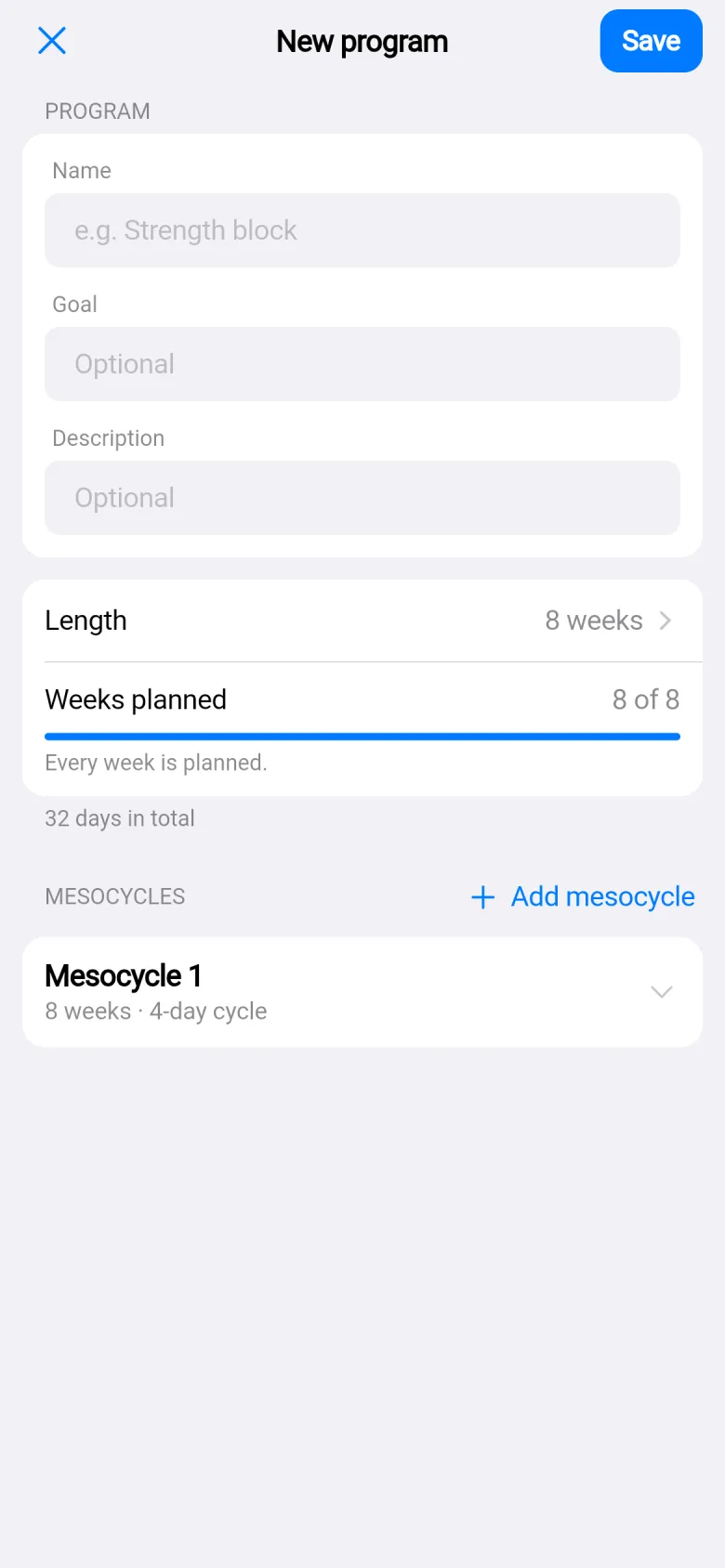
The new program editor: a name, a length of 8 weeks, weeks planned 8 of 8, and a mesocycle of 8 weeks.

Programs run in weeks and mesocycles.Set a length and plan each week.

Log it the way you train.

The last time sits beside every set. Warm-up, drop, failure, feeder and forced-rep sets. Notes, supersets, a rest timer on every exercise.

The set table: each row shows what I did last time, then the weight and reps for today, with W, X and D set types in orange and a note on one set.

Last time, beside every set.

W warm-up. D drop. X to failure. F feeder. R forced reps.

A note on a set, or on the exercise.
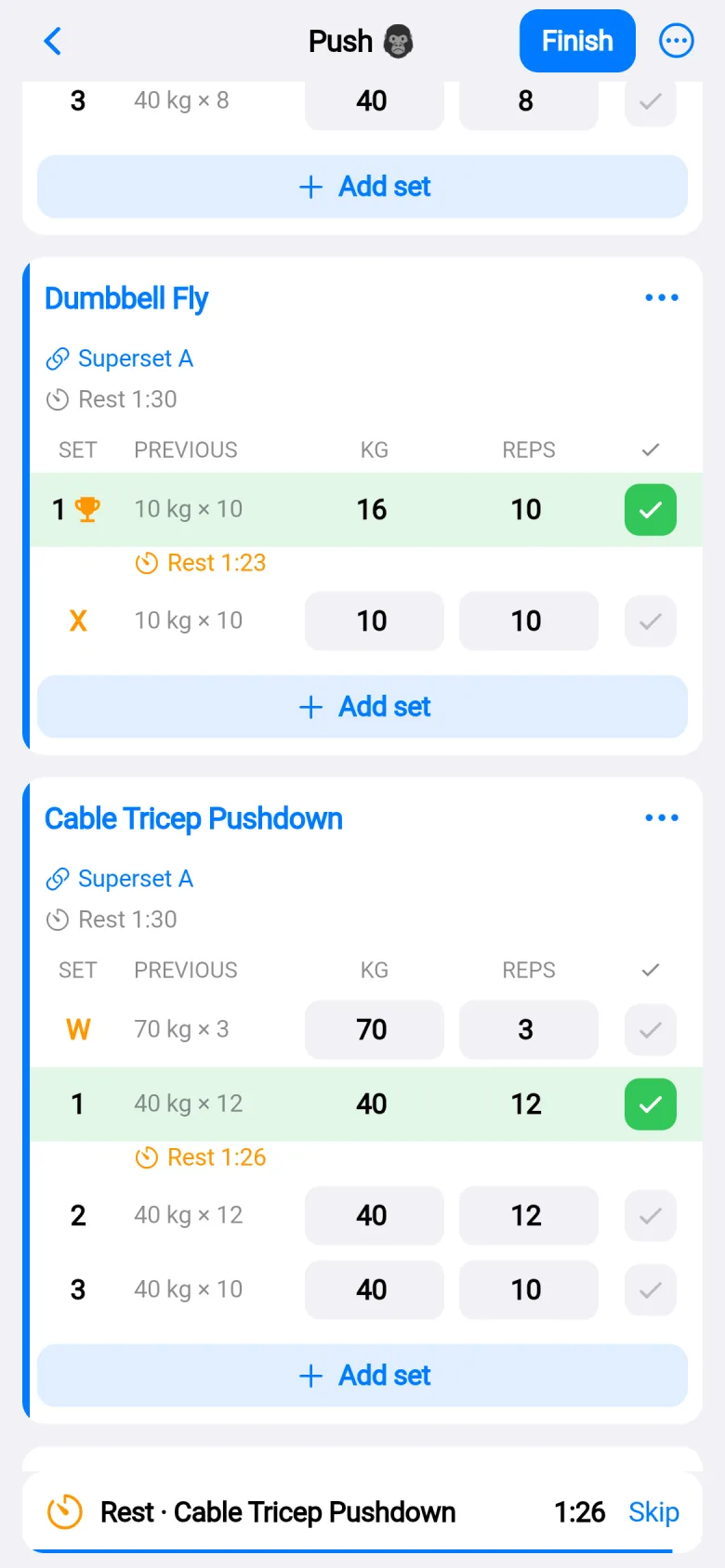
Two exercises linked as Superset A with a blue stripe, a rest timer counting down under a set, and a banner at the bottom: Rest, Cable Tricep Pushdown, 1:26, Skip.

Link exercises as a superset.

A rest timer for each exercise, counting down as you work.
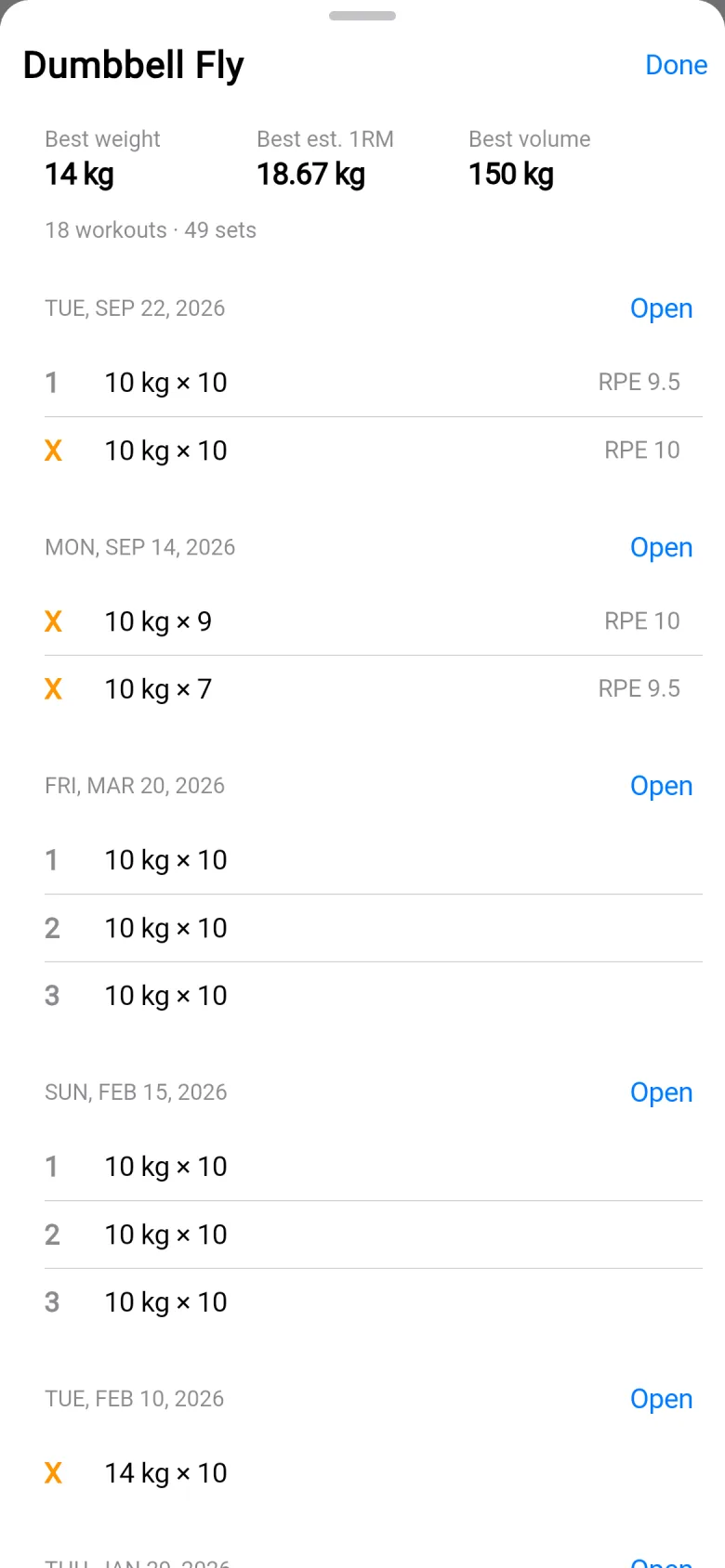
A sheet over the workout with the history of Dumbbell Fly: best weight, best estimated one-rep max and best volume, then past sessions with their sets and RPE.

Your best sets and past sessions, one tap away mid-workout.

RPE, time or distance when the exercise needs it.

Everything saves as you type. A draft survives going offline. A stopwatch is there for timed sets.

English or Bulgarian. Light or dark.

The whole app comes in both languages and both themes. Switch in Profile. kg or lb, km or mi, too.
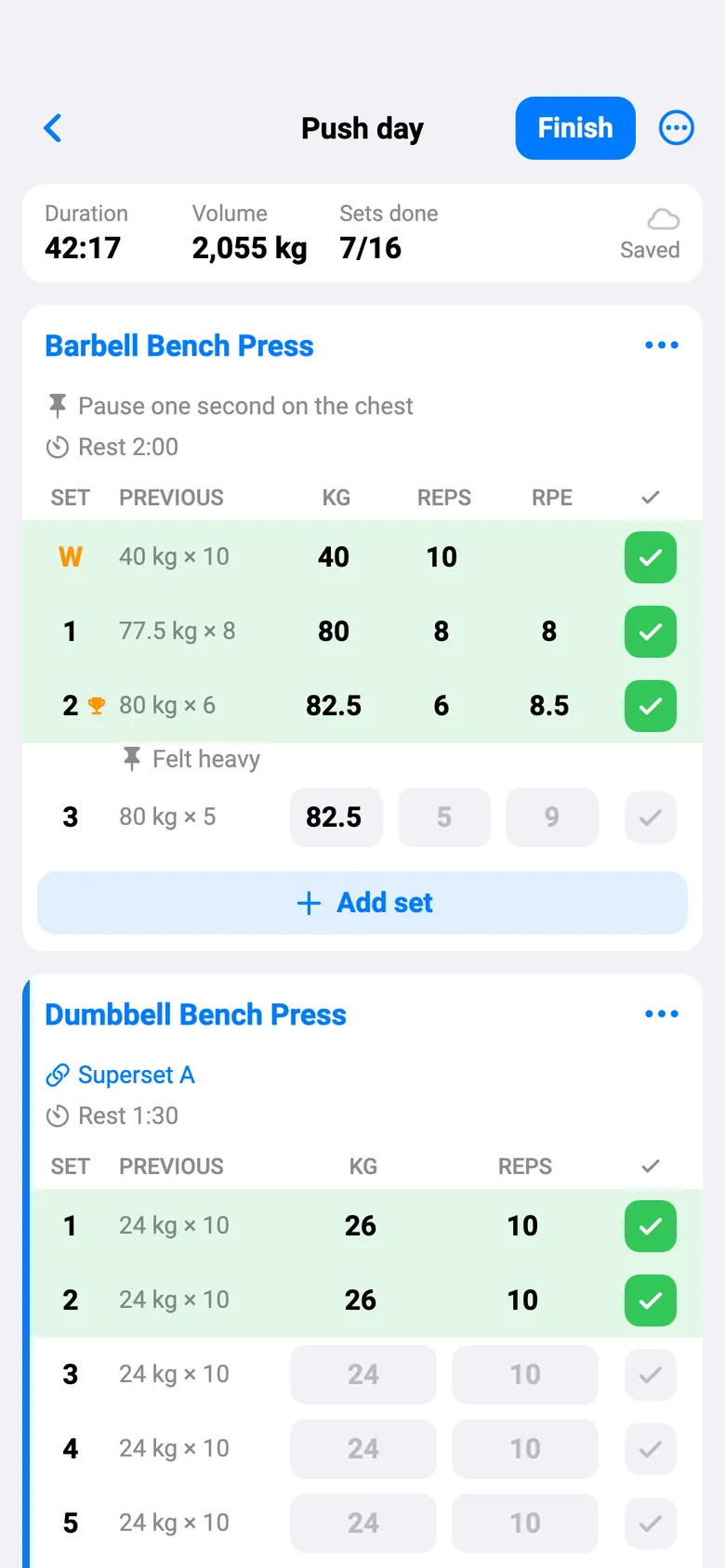
The same workout in English with the light theme: the Barbell Bench Press set table, with last time beside every set and a Finish button at the top.

English, light

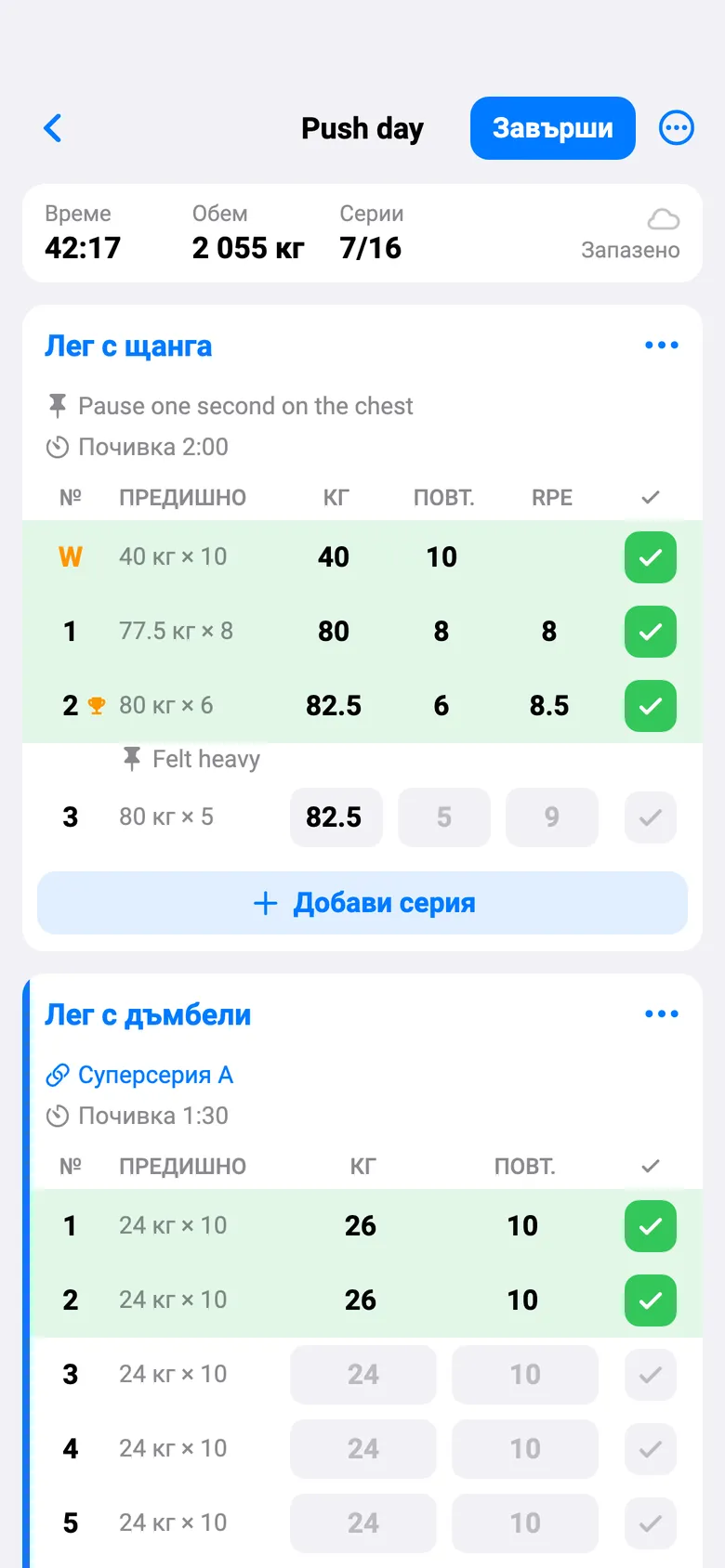
The same workout in Bulgarian with the light theme: the labels read Завърши, Време, Серии and Лег с щанга.

Български, светъл

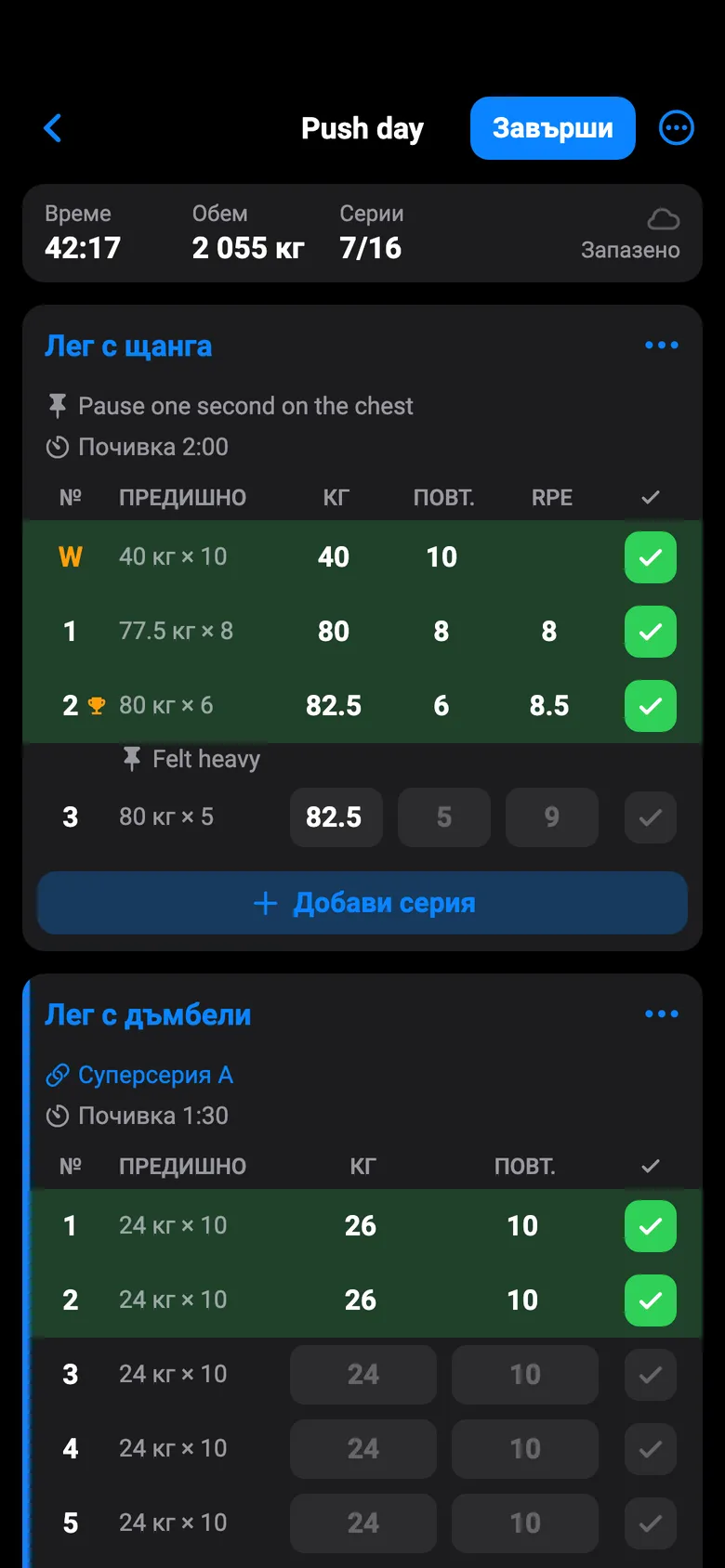
The same workout in Bulgarian with the dark theme: a dark screen with the labels Завърши, Серии and Лег с щанга.

Български, тъмен

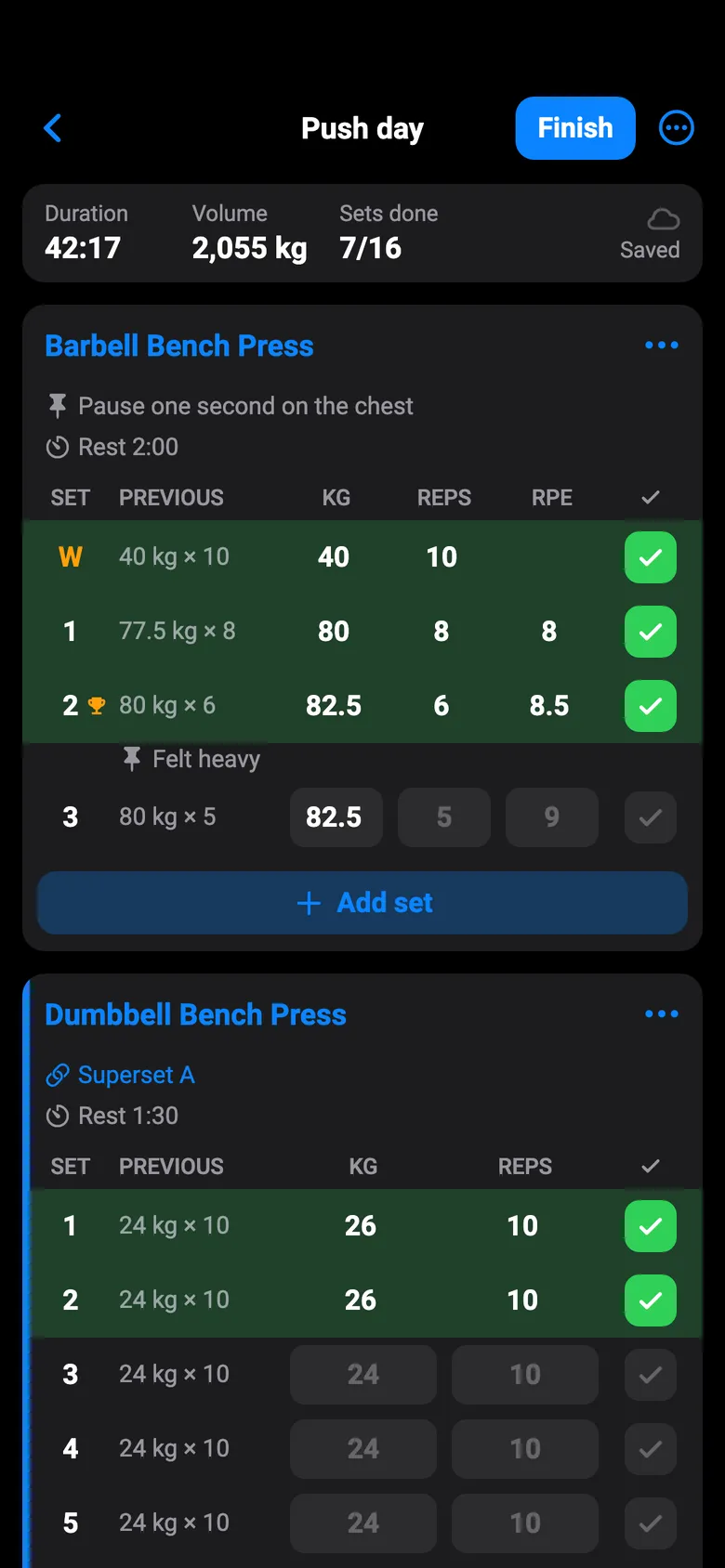
The same workout in English with the dark theme: a dark screen with the Barbell Bench Press set table.

English, dark

Screens from a sample account.
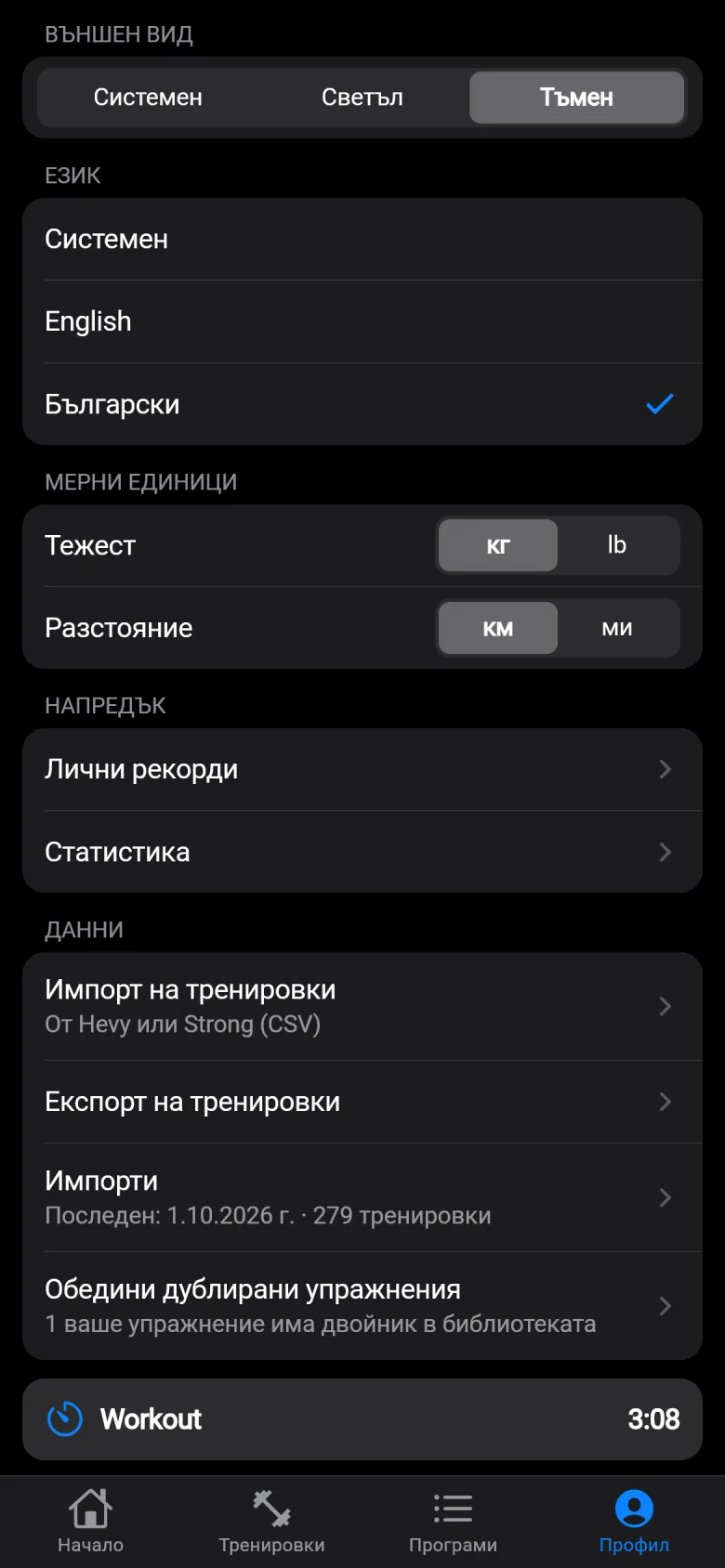
Profile in Bulgarian with the dark theme: the appearance control, the language list with English and Български, and the units for weight and distance.

Switch in Profile.

Bring your history. Take it back any time.

Import from Hevy or Strong (CSV). You see a preview first, exercises are matched to the library, routines are rebuilt, and one tap undoes it. Export in Hevy's or Strong's layout whenever you like.
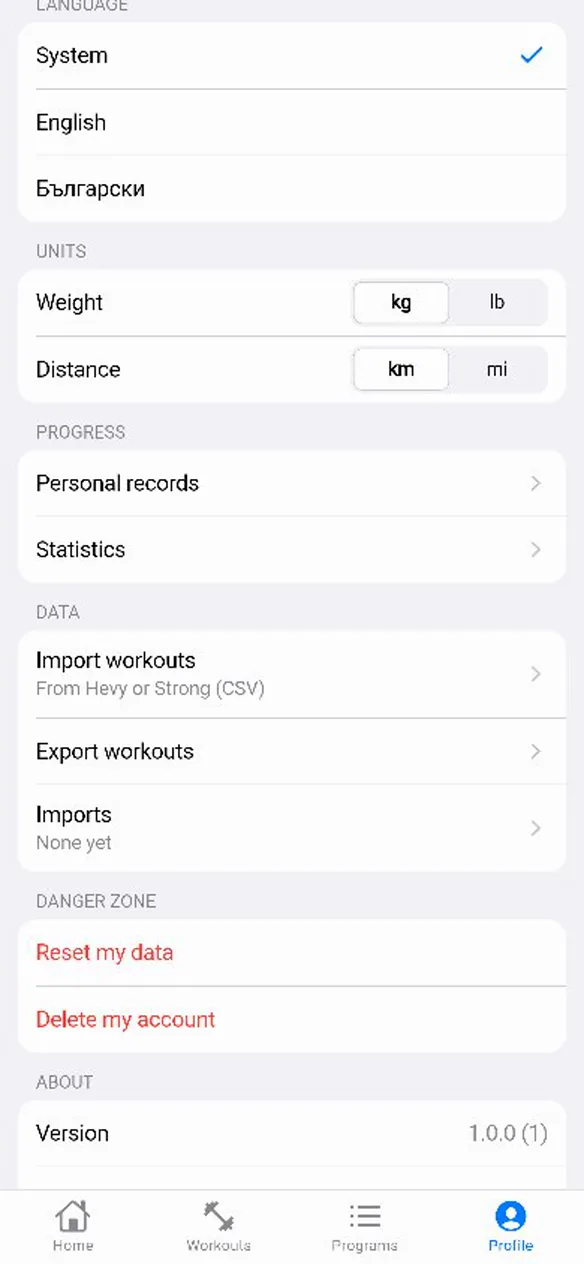
The Profile screen with Import workouts, from Hevy or Strong (CSV), in the Data section. A short silent clip imports my Hevy export.

My own Hevy export: 279 workouts, 2,067 exercises, 6,442 sets.
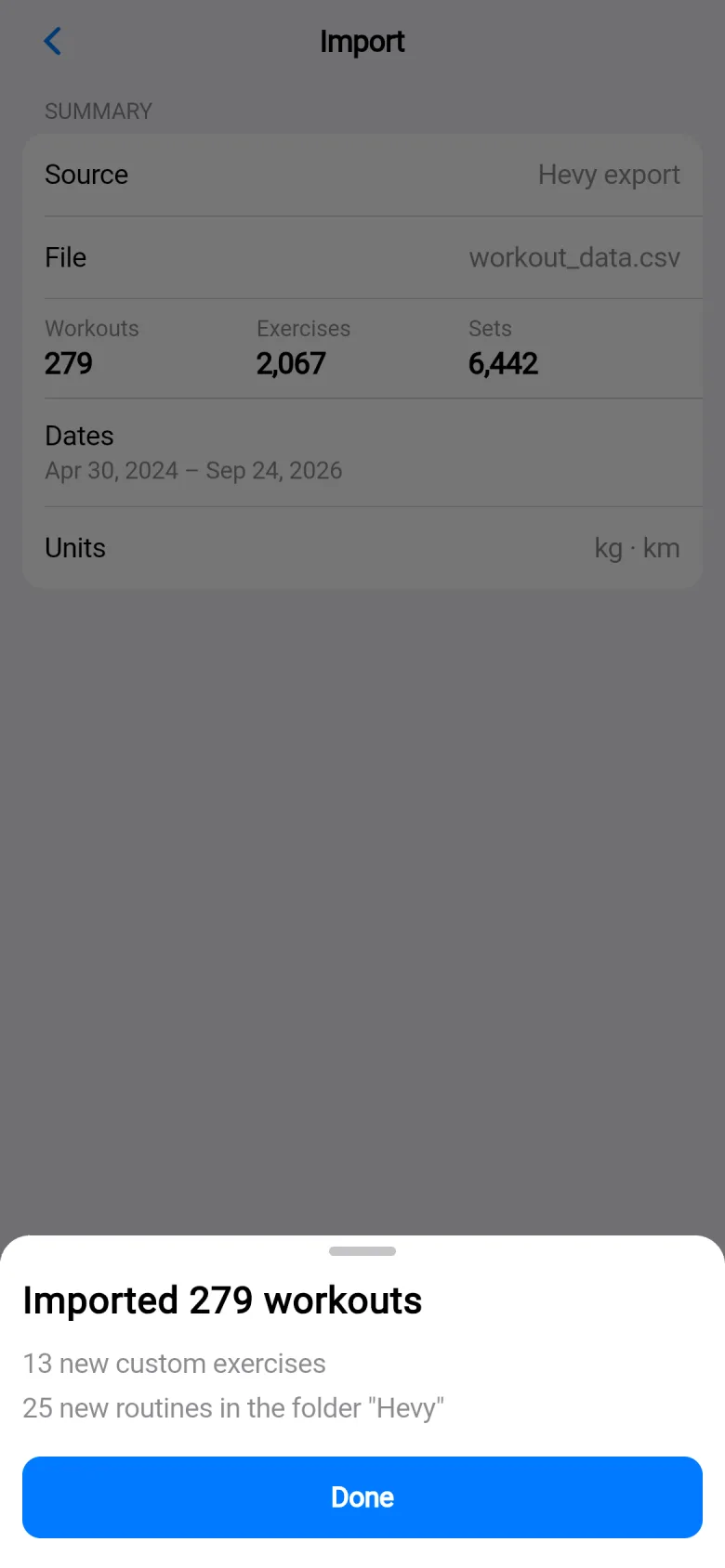
The import result: Imported 279 workouts, 13 new custom exercises, and 25 new routines in the folder Hevy.

Imported in one tap, with the routines rebuilt in a folder.
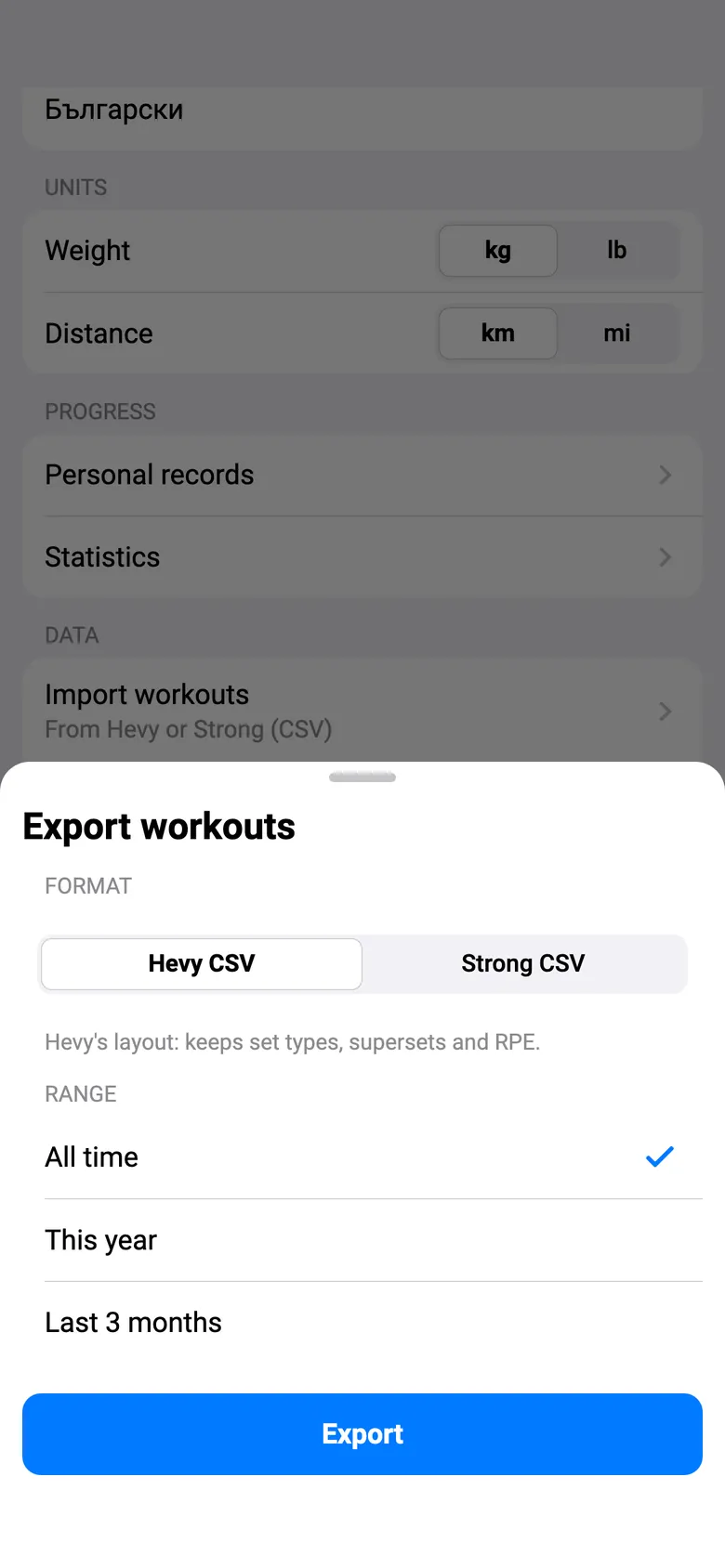
The Export workouts sheet: a choice of Hevy CSV or Strong CSV, a range of all time, this year or the last 3 months, and an Export button.

Export as Hevy CSV or Strong CSV, for all time, this year or the last three months.

Reset your data or delete your account yourself, from Profile.

Try it now.

It's free, and it runs in your browser.

Open the app

Your history, and the records in it.

A month calendar and a summary of every workout. Records come in eight kinds, and finishing a workout shows you the new ones.
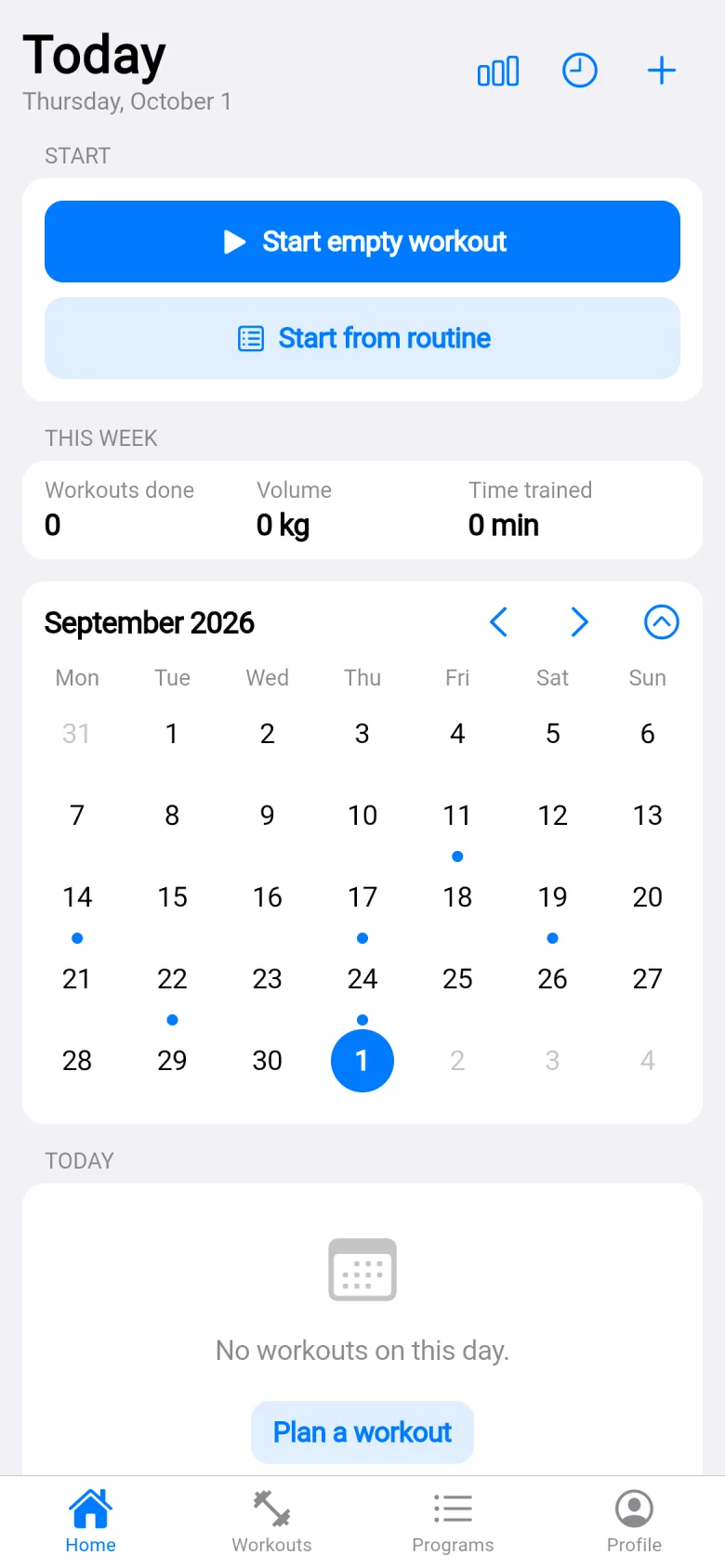
The Today screen with the month calendar open on September 2026 and a dot under every day I trained.

A dot on every day you trained.

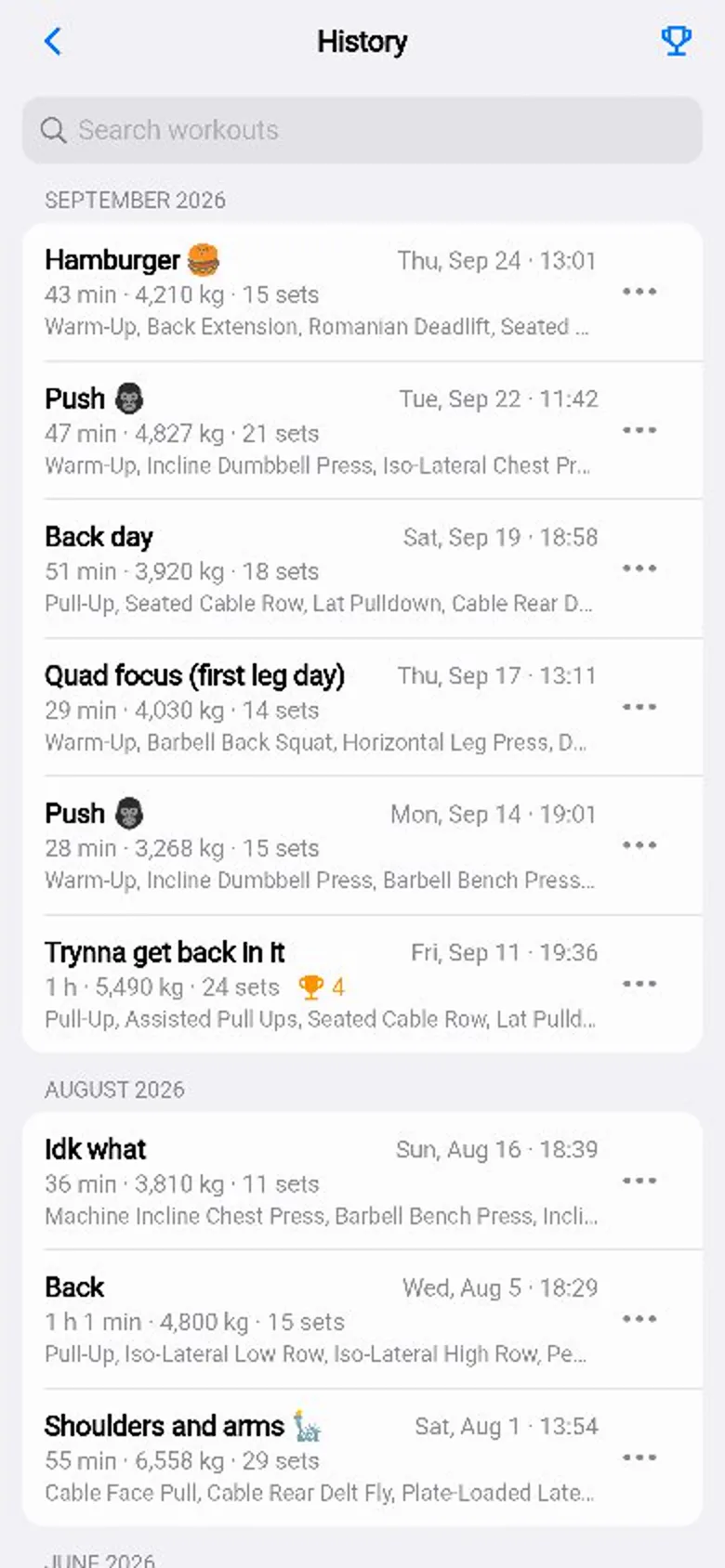
The History list: each workout with its length, volume and number of sets, and a trophy on the ones that set records.

Every workout, summarised, with a trophy where you set a record.
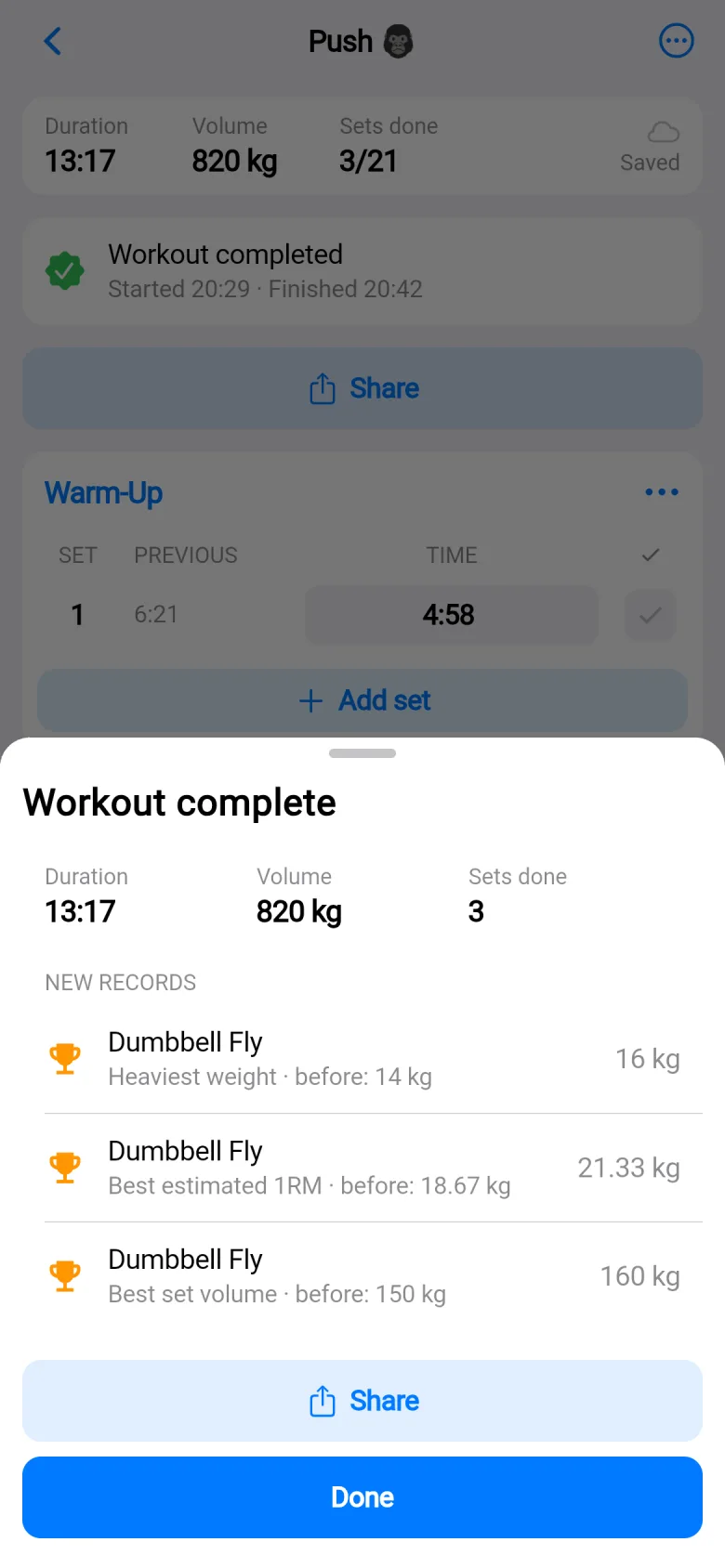
The Workout complete sheet listing three new records for Dumbbell Fly, each with the old best beside it.

New records, the moment you finish.

Stats that tell you something.

30 days, 3 months, a year or all time, each compared with the period before. Charts, a muscle map, streaks, your most-trained exercises, and a trend page for every exercise.
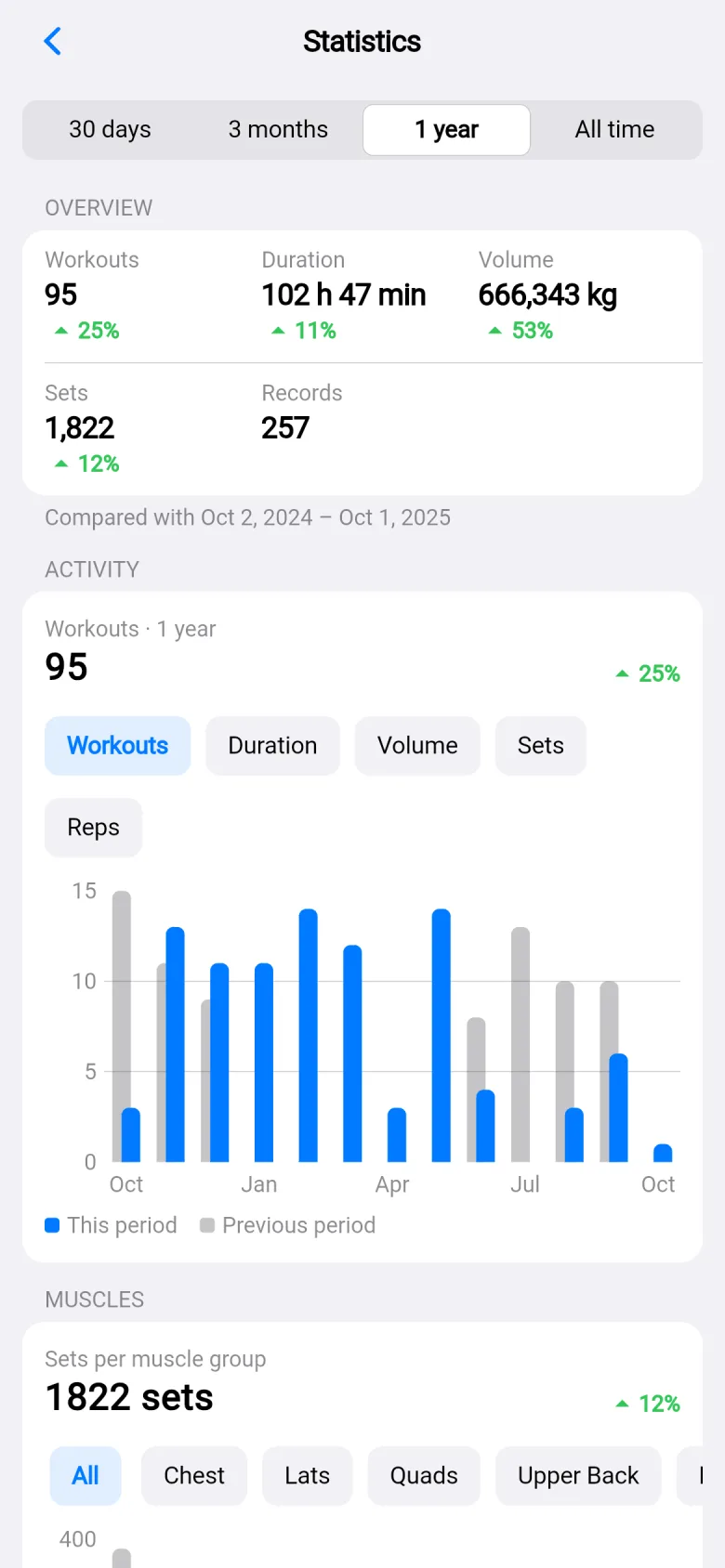
Statistics for one year: 95 workouts, 102 hours 47 minutes and 666,343 kg, then 1,822 sets and 257 records, each compared with the year before.

My last year: 95 workouts, 666,343 kg, each against the year before.
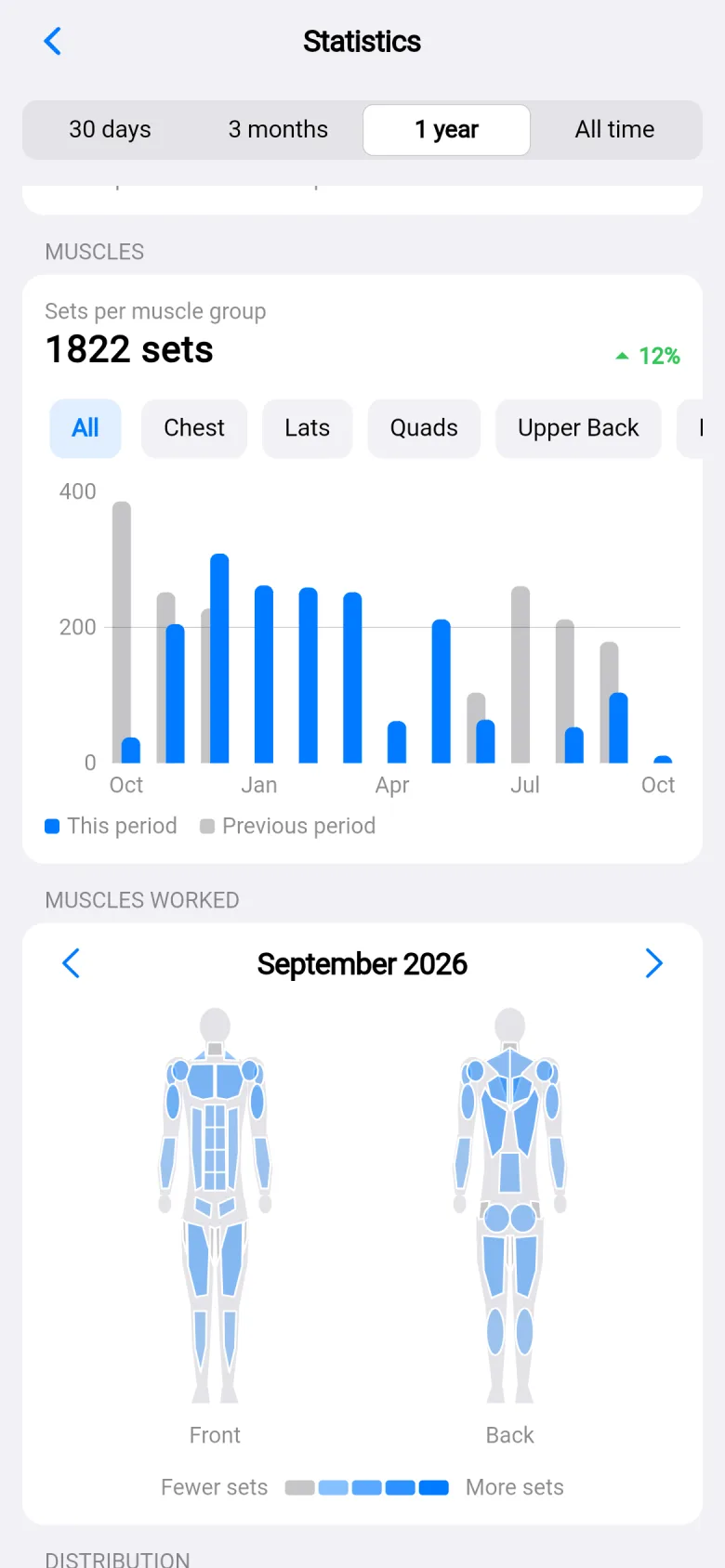
Sets per muscle group as a body map, front and back, for September 2026, with a bar chart of sets above it.

Sets per muscle group, front and back.
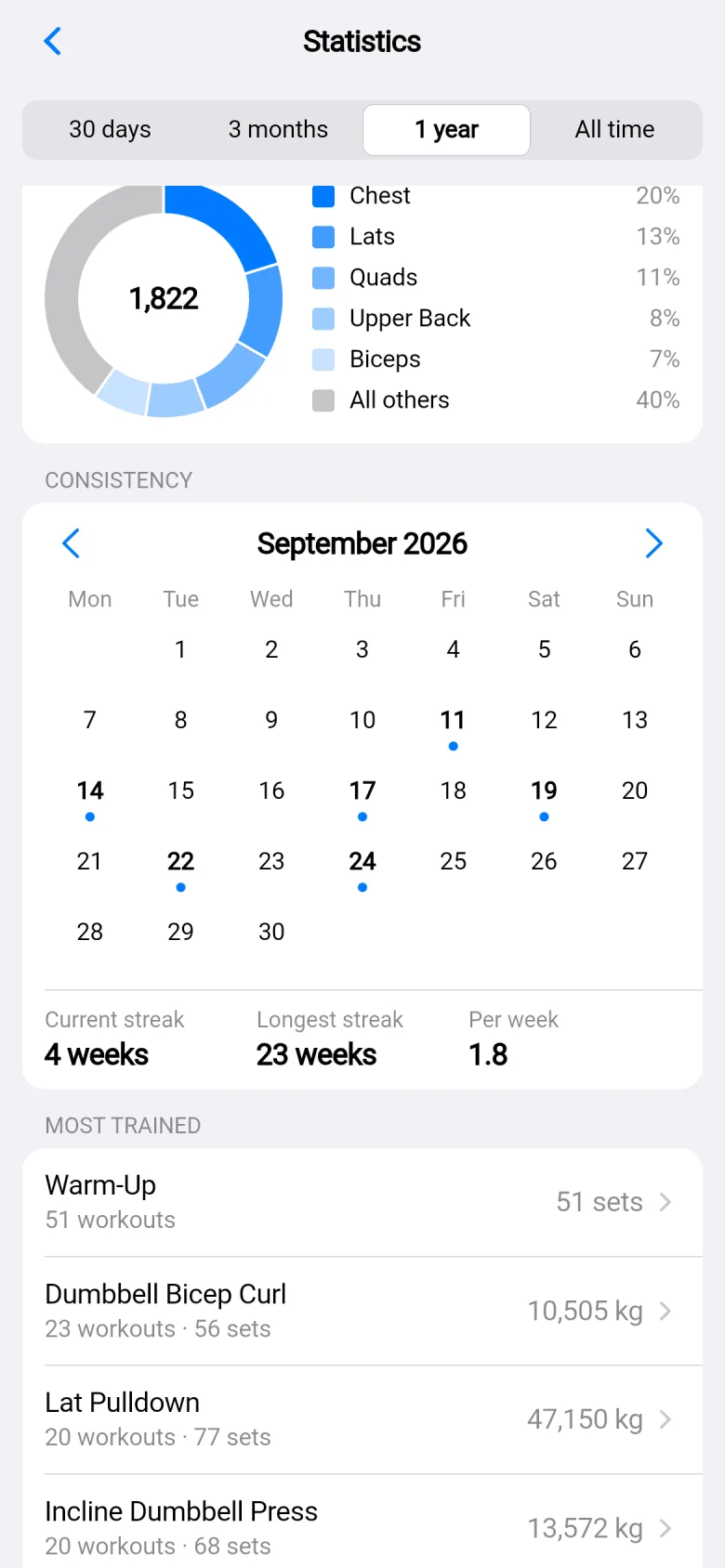
The consistency calendar for September with a dot on each day trained, and streaks: current 4 weeks, longest 23 weeks, 1.8 workouts per week.

A consistency calendar with streaks.

Make a card from your workout.

Seven styles, as a story or a square. Light, dark, transparent, or over your own photo.
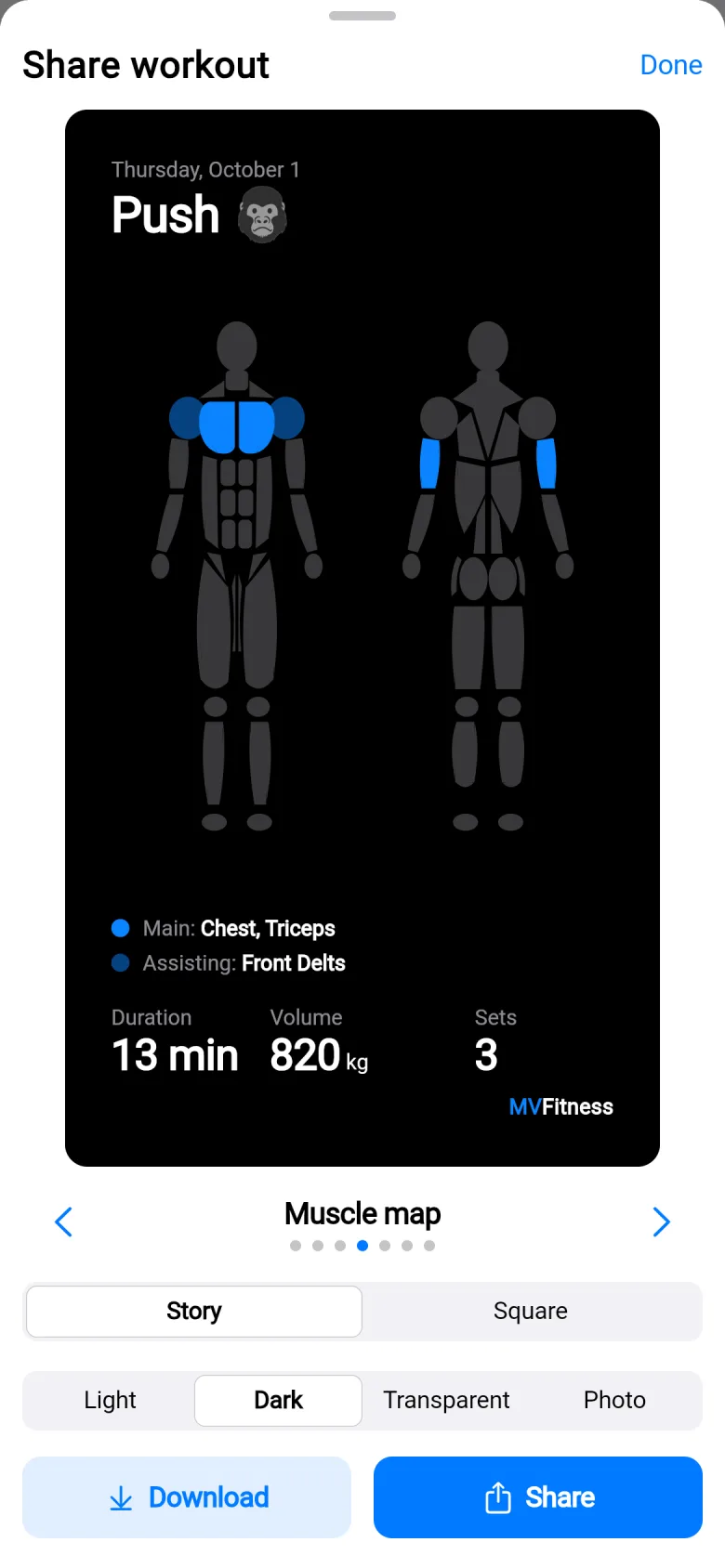
The Share workout sheet with a dark muscle-map card, a choice of Story or Square and Light, Dark, Transparent or Photo, and Download and Share buttons.

Pick a style, then download or share.
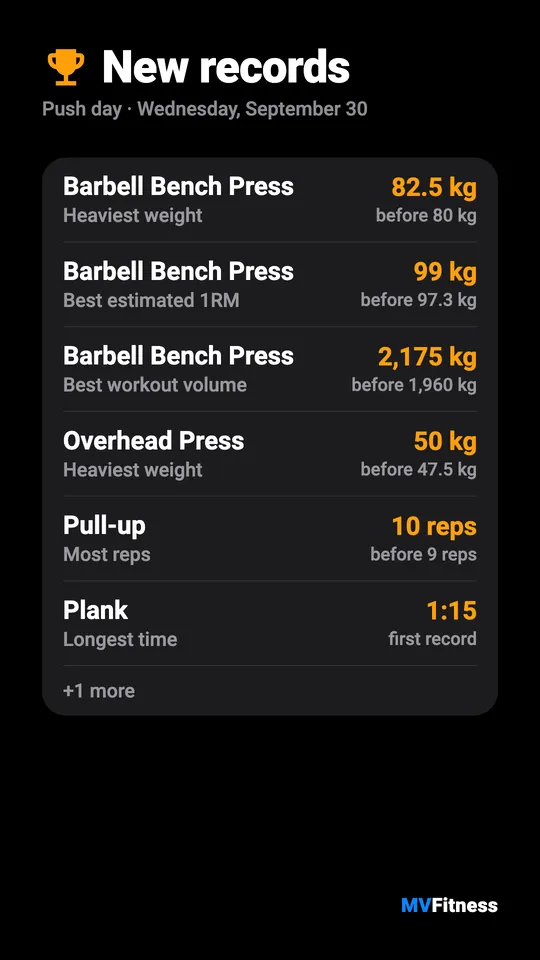
A dark card, New records, listing Barbell Bench Press, Overhead Press, Pull-up and Plank with the old best beside each.
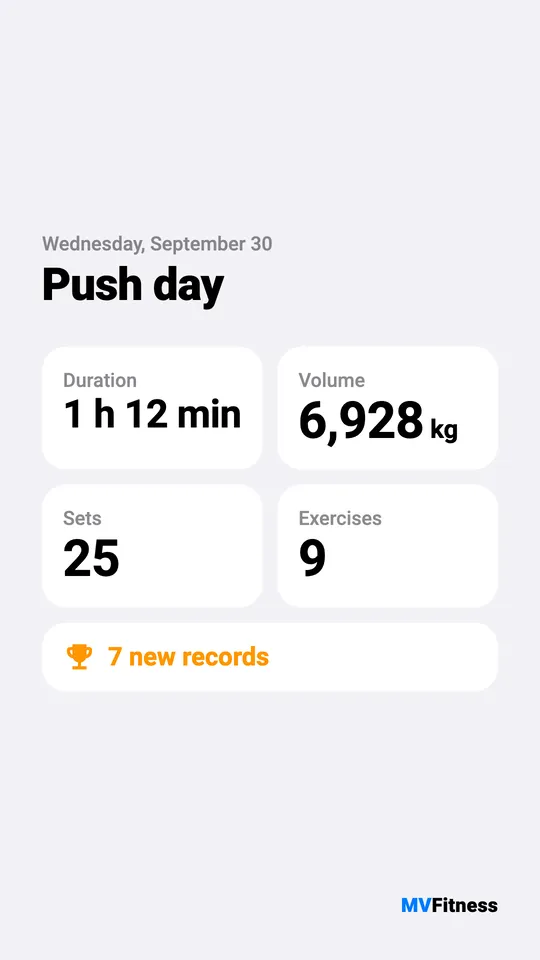
A light card for Push day: 1 h 12 min, 6,928 kg, 25 sets, 9 exercises and 7 new records.
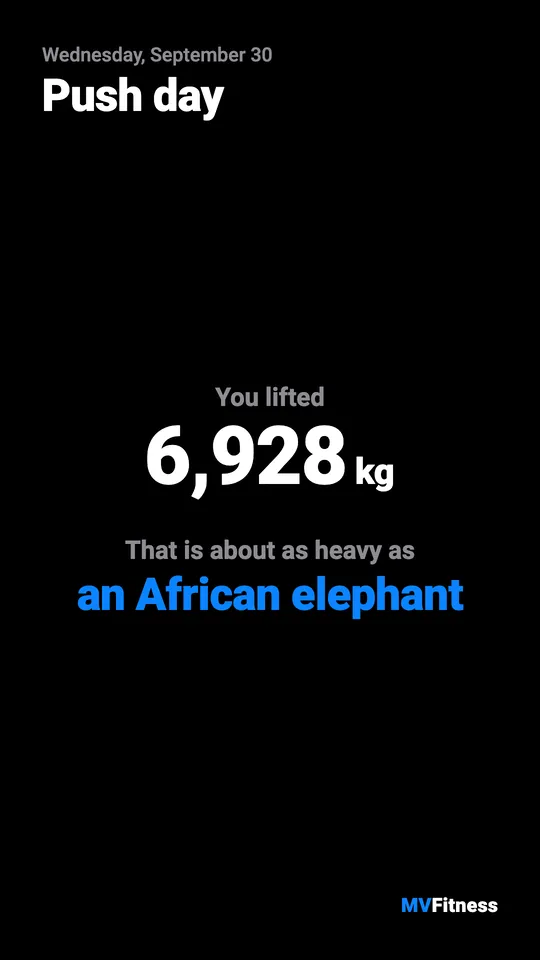
A dark card: you lifted 6,928 kg, about as heavy as an African elephant.
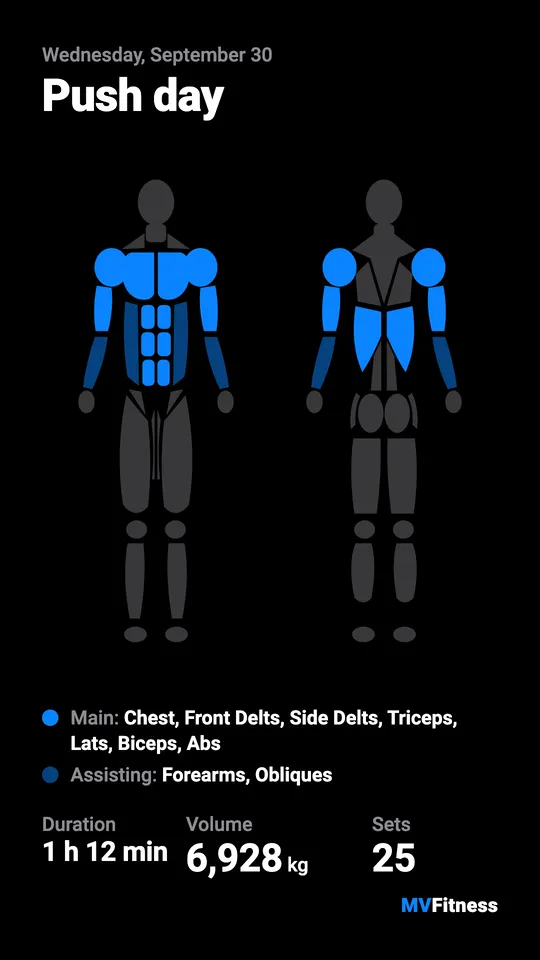
A dark card with a front and back muscle map with chest and triceps lit, and the duration, volume and sets.
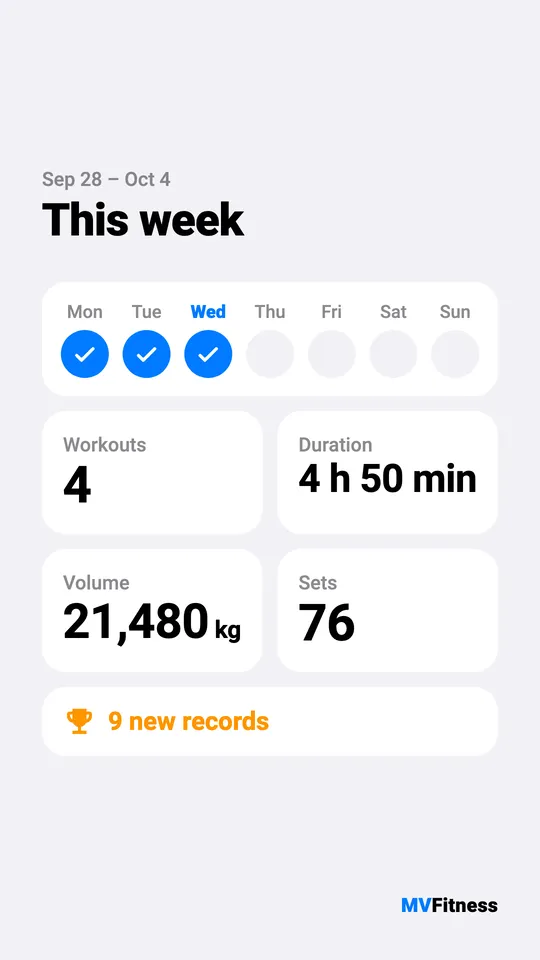
A light card, This week: three days ticked, 4 workouts, 4 h 50 min, 21,480 kg, 76 sets and 9 new records.

Cards exported from a sample workout.

Phone, tablet, laptop.

On a big screen it becomes a real desktop app: a sidebar, two panes, and logging from the keyboard.
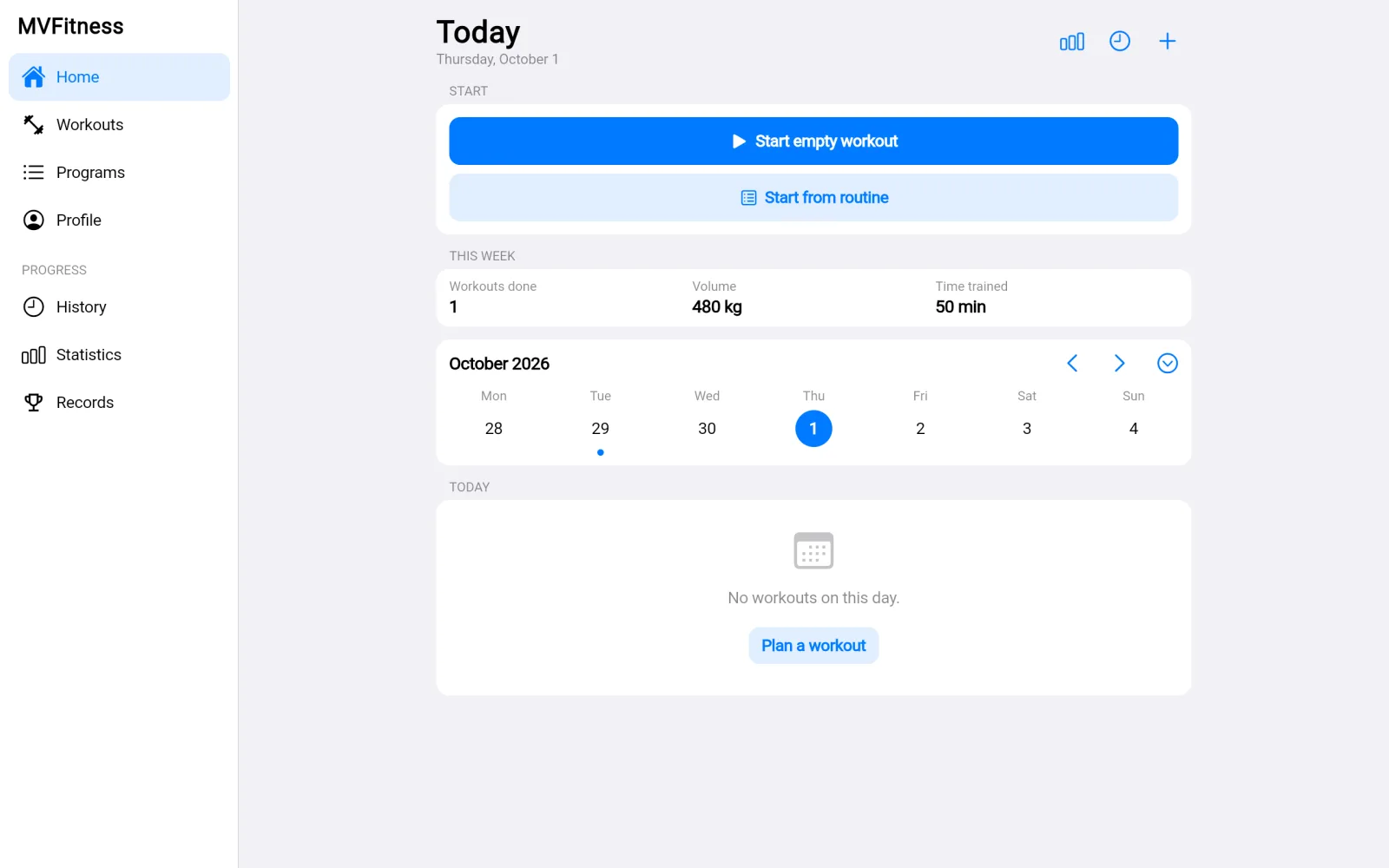
The desktop layout: a sidebar with Home, Workouts, Programs, Profile, History, Statistics and Records, and the Today screen beside it.

A sidebar on desktop.

Free.

There is no paid tier. MVFitness is a personal project that I build and run myself. It's a web app, so there is no store listing yet.

Open the app

mvfitness.vinkel.org

The Today screen of MVFitness with the Start empty workout button at the top and the month calendar below.